 blog
blog
Alternatives to Shared Phone Notes for Family Emergency Info
Table of Contents
- Why Shared Phone Notes Fall Short for Family Emergency Information
- What a Complete Family Emergency Plan Must Include
- The Family Emergency Information Binder: A Paper Backup That Still Works
- Family Emergency Contact Card: Small Format, Fast Access
- Secure Medical Records App for Families: What to Check Before You Trust One
- Shared Phone Notes vs. the Alternatives: Side-by-Side Comparison
- Which Option Fits Your Household? A Decision Framework
- Keeping Emergency Information Accurate Over Time
- Frequently Asked Questions
Last Updated: October 18, 2026
Why Shared Phone Notes Fall Short for Family Emergency Information
Shared phone notes feel like the easy answer. Everyone in the family already has the app, nobody has to learn anything new, and setup takes about two minutes. That convenience hides a real problem: shared phone notes were built for grocery lists, not for the information someone needs when a parent is in an ambulance or a child is missing at a crowded event.
At reUNITEme™, we've watched families and response teams improvise with whatever tool was closest. The pattern repeats often enough to be predictable. Here's what a shared note can't do:
- It fails when the phone dies or the network drops. A note saved only on a device is gone the moment that device is lost, locked, or out of battery.
- It has no structure. Medical conditions, allergies, medications, and contacts all blur into one long scroll.
- Access is all-or-nothing. Give someone the note and they see everything, forever.
- It's easy to forget. No one updates a note until something goes wrong.
The fix isn't a better note. It's choosing the right tool for the job, and that starts with knowing what the job actually requires.
What a Complete Family Emergency Plan Must Include
A family emergency plan is a written record of who to call, what medical details matter, and how family members will reconnect if they're separated. The plan matters less than whether people can find it under pressure.
What belongs in it:
- Emergency contacts for every family member, including a parent or guardian, a backup adult, and an out-of-area contact.
- Children's information: names, ages, school, and any caregiver authorized to pick them up.
- Medical conditions and allergies, written plainly enough for a stranger to act on.
- Current medications, including doses and prescriber details.
- Healthcare provider and pharmacy names and numbers.
- Insurance and medical record references, stored securely rather than pasted in the open.
- A communication plan: who calls whom, and where everyone meets.
That list is longer than most people expect. It's also the reason a single shared note rarely holds up. According to Ready.gov's family emergency planning guidance, households that write a plan and practice it respond more calmly and reconnect faster than those that improvise.
The Family Emergency Information Binder: A Paper Backup That Still Works
A family emergency information binder is a printed folder holding contacts, medical details, and care instructions, kept somewhere everyone in the household knows. It works when nothing else does, and that is the entire point.
Most families discover the value of paper the hard way. A storm knocks out power for two days. A phone falls in a puddle at a ballgame. A caregiver's data plan runs out mid-errand.
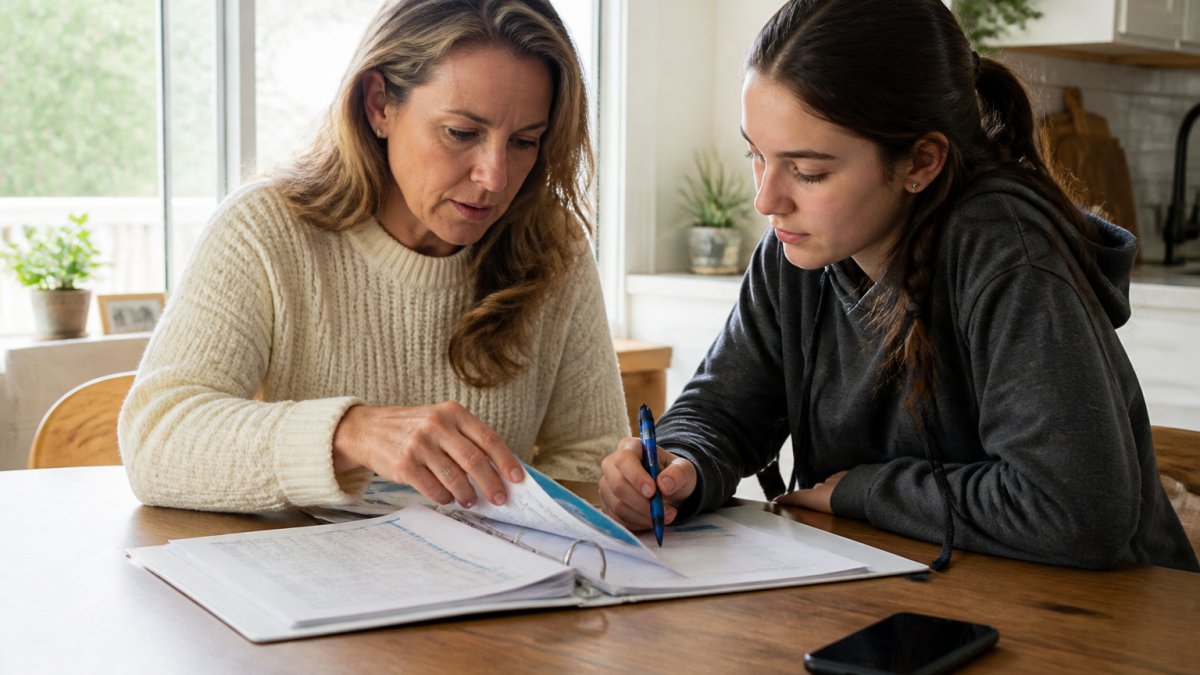
Build one with tabbed sections, not a single stack of paper. A workable structure:
- Household contacts, every adult, backup adult, out-of-area contact, and trusted neighbor, with relationship noted next to each name.
- Each child, full name, date of birth, school, teacher, authorized pickup adults, allergies, medications, and pediatrician.
- Each adult, medical conditions, allergies, current medications with doses, prescriber, pharmacy, and insurance reference numbers.
- Older adults in the household, the same details plus mobility notes, hearing or vision needs, and any cognitive considerations a responder should know.
- Providers and facilities, primary care, specialists, dentist, pharmacy, and preferred hospital.
- Communication plan, who calls whom first, the out-of-area contact, and the family meeting spot.
- Reunification notes, who is authorized to pick up each child, and what identification they should expect to show.
Print two copies. Keep one at home in a known location (not locked in a safe nobody can open) and one in the car.
The limits are real. A binder doesn't travel well, can't be shared with a caregiver across town, and goes stale the moment someone changes a phone number.
Family Emergency Contact Card: Small Format, Fast Access
A family emergency contact card is a wallet-sized card listing key phone numbers, allergies, and medications for one person. It's the fastest option for someone else to read.
Cards earn their place in school bags, glove boxes, and wallets. For a child, a card in the backpack gives a teacher or coach something to act on without unlocking a phone. For an older adult, a card in a purse or pocket gives a responder a starting point.
Make the card work:
- Print the person's name, two contacts, allergies, and current medications in large type.
- Laminate it so it survives a wet backpack.
- Update it whenever a number or medication changes.
- Keep a photo of the card on your phone as a quick reference.
A card covers the first five minutes. It won't hold a full medical history, and it can't be shared across a household without printing a new one for each person.
Secure Medical Records App for Families: What to Check Before You Trust One
A secure medical records app for families stores health information in one place and controls who sees it. The right one solves the problem shared phone notes create; the wrong one just moves the risk from a grocery-list app to a database you don't understand.
The privacy gap is the one most families underestimate. A shared phone note is all-or-nothing: hand someone the note and they see every medication, every allergy, every contact, forever. A well-built records app should let you decide who sees what, for how long, and under what conditions. That is the difference between sharing information and surrendering it.
Check these before you commit:
- Permissions you control, per person. Can you give a sitter emergency contact numbers but not medical history? Can a grandparent see both emergency contact numbers and medical history? If the answer is "everyone sees everything," it's a shared note with extra steps.
- Encryption in transit and at rest. Ask directly. A vendor that can't answer plainly is telling you something.
- Offline access for the essentials. Can a caregiver open allergies, medications, and emergency contacts without a signal? Full offline access isn't realistic for every record, but the critical five minutes should not depend on a bar of service.
- Multiple users across devices. Both parents, a grandparent, a sitter, and an adult child caring for a parent should each have appropriate access, on iOS, Android, and a browser if the household is mixed. Interoperability matters more than most families realize until one member is on an older phone.
- An update path with clear ownership. Who is responsible for correcting a medication change? A correction in one place should reach everyone who needs it, without a group text chain.
- A clear data policy. Where is the information stored, who can see it, and what happens if you leave the platform?
- Emergency access for people outside the household. Can a trusted neighbor, school nurse, or first responder reach essential information without unlocking one family member's phone?
This is the gap reUNITEme™ was built to fill. It gives families a private, user-controlled space for identity, medical, and contact details, so the right person can reach the right information without exposing everything to everyone.
Shared Phone Notes vs. the Alternatives: Side-by-Side Comparison
Here's the honest comparison. No single option wins every category, and most households end up combining two.
Option | Setup Effort | Works Offline | Access Control | Best For |
|---|---|---|---|---|
Shared phone notes | Very low | Only if cached | All-or-nothing | Quick, low-sensitivity lists |
Paper binder | Moderate | Always | Physical possession | Home base and backup |
Contact card | Low | Always | Whoever holds it | Children, older adults, cars |
Secure records app | Moderate | Varies by app | Per-person permissions | Whole-household coordination |
The pattern is clear. Shared phone notes win on setup and lose on nearly everything else. Paper wins on resilience and loses on sharing. A records app wins on coordination and asks for a little more setup time up front.
For a deeper look at how responders approach reunification, the FEMA reunification planning guidance is worth reading before you choose.
Which Option Fits Your Household? A Decision Framework
Use this framework to pick, rather than guessing:
- If you have young children in school or daycare: a contact card in every bag, plus a records app for the adults.
- If you're co-parenting or in a blended family: a records app with per-person permissions, so both households see the same accurate details.
- If you care for an older parent: a card in their wallet and a records app the whole care circle can reach.
- If you live somewhere with frequent outages: a paper binder as the base layer, always.
- If your budget is zero right now: start with a binder and cards this weekend, then add an app when you can.
Most families land on a two-layer system: something physical that never fails, and something digital that travels.
Keeping Emergency Information Accurate Over Time
Stale information is worse than missing information, because people trust it. A disconnected phone number or an outdated medication list can send a responder down the wrong path.
Set a review rhythm:
- Every six months, check every phone number and medication.
- After any change (new school, new doctor, new prescription), update the record the same day.
- Before travel or a big event, confirm the contact card matches the app.
- After a custody or caregiver change, update permissions immediately.
reUNITEme™ handles the digital side of that upkeep with user-controlled sharing, so a correction in one place reaches everyone who needs it. The paper layer still needs a pen and a date.
Emergencies rarely announce themselves, and the families who reconnect fastest are the ones who prepared before anything went wrong. If your current system is a shared note and a hope, reUNITEme™ gives you a private, user-controlled place for identity, medical, and contact details, built from real emergency response experience. It's designed for households and for organizations like schools and venues that need faster, less confusing reunification. Download the app and set up your family's information this week, while it's still quiet.
Frequently Asked Questions
Is it safe to store medical information in a shared phone note?
It depends on how the note is shared and who can open it. A shared note is only as private as every account and device that can view it, and it is only as available as the phone's battery and signal. For allergies, current medications, and conditions, a note that anyone with the link can read is a weak default. Look for access you control per person, and keep a printed copy as a fallback.
What should go on a family emergency contact card?
At minimum: each person's name, an emergency contact with two phone numbers, relevant medical conditions and allergies, current medications, and the name of a healthcare provider. Add a note about who is authorized to pick up children if that applies. Keep it short enough to read in seconds, and update it whenever a phone number, medication, or caregiver changes.
How can family members access emergency contacts if a phone is lost or unavailable?
This is one major benefit of reUNITEme. Even if a physical phone is lost, the person's information is still available to the caregiver of helper. Without reUNITEme, keep a printed copy of your family emergency plan and contact list somewhere fixed, such as a binder at home and a card in each wallet or backpack. Make sure paper copies are updated, that everyone knows where to find the paper copy, and that the paper copy is accessible in case of emergency.
How can families keep emergency information up to date across multiple people?
With reUNITEme, emergency information and updates are provided to multiple people the minute you update your information within the app. For other systems, it is important that you pick one source of truth and set a recurring review, for example at the start of each school year and after any move, new medication, or custody change. Tell every adult in the household where the master copy lives and who is responsible for updating it. A short quarterly check of phone numbers, medications, and caregiver details catches most drift before an emergency exposes it.